Resin printer power draw and heat — garage summer shutdown thresholds

By James Vek · Editor, Resin Rundown
Published June 1, 2026 · Last reviewed June 1, 2026
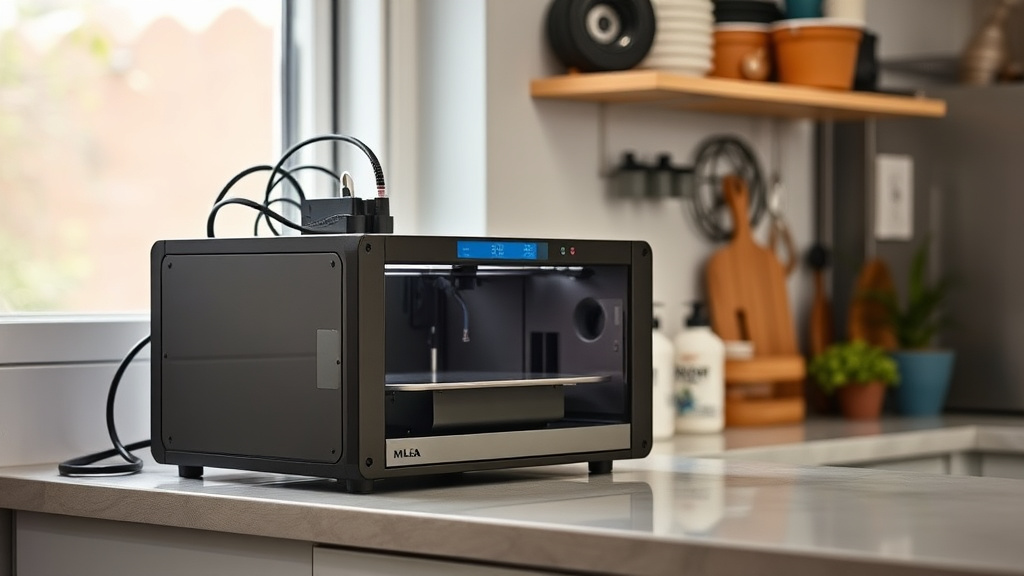
Resin printer power draw and heat are important considerations when running a 3D printer, especially in confined spaces like garages during hot summer months. Understanding how these machines consume electricity and generate heat can help you prevent shutdowns caused by temperature spikes or circuit overloads.
Key takeaways
- Resin printers typically draw between 60W and 150W during operation, with slightly lower power usage in standby.
- Heat produced by resin printers comes mainly from the UV light and the LCD screen, which can raise ambient temperatures noticeably in small or poorly ventilated spaces.
- Garages often have higher baseline temperatures in summer, increasing the risk of printer shutdowns or resin curing issues due to thermal stress.
- It’s important to monitor both electrical load limits in your garage circuit and ambient temperature thresholds to sustain reliable, safe resin printing.
- Simple cooling strategies and power management can help maintain print quality and avoid late summer power trips.
Understanding Resin Printer Power Draw
Most consumer-grade resin printers use a combination of UV LED arrays and LCD screens to cure resin layer by layer. This means their power draw is somewhat consistent but varies between active curing and idle modes.
- Typical power range: Most resin printers draw about 60 to 150 watts when printing. Entry-level models (e.g., Anycubic Photon Mono, Elegoo Mars) generally use around 60–100W, while higher-end or larger build volume machines with bigger UV arrays or additional cooling may reach 150W.
- Standby power: When not actively curing, but powered on, resin printers often drop to about 10–30 watts, primarily for screen standby or system readiness.
- Power spikes: Initial warm-up phases or feature-heavy printing tasks can cause minor short-term power increases but usually stay within the declared wattage limits.
Given this profile, it’s rare for a single resin printer to overload a standard 15A household circuit (typically rated for around 1800W). However, if your garage has multiple devices running alongside the printer—like compressors, lights, or vacuum pumps—cumulative power draw can trigger breakers.
Heat Generation and Impact on Printing
Resin printers generate heat mostly from their UV light sources and LCD panels:
- UV LED arrays: These LEDs generate heat directly proportional to their power consumption. A 60W UV source generates less heat than a 120W equivalent.
- LCD screens: The LCD panel, which masks the UV light, also produces some warmth during operation.
- Resin vat temperature: Heat builds up inside the vat during printing, which can increase resin temperature beyond recommended levels, impacting curing and print quality.
In a small garage, especially in summer, the ambient temperature can easily reach or exceed 90°F (32°C). Since many resin types cure best between 68–77°F (20–25°C) and can start to prematurely cure or degrade above 90°F, elevated temperatures downstream of UV light heat pose a risk.
Additionally, some resin printers include internal fans or cooling systems to keep components within operating limits. If ambient temperatures rise too high, these fans can struggle or fail to maintain safe conditions, potentially triggering machine shutdowns as a protective measure.
Garage Summer Shutdown Thresholds: Why They Matter
Summer heat and electrical limits often intersect in garages used as printing spaces:
- Thermal trip points: Many resin printers or their power supplies have internal thermostats or temperature sensors. If internal temperatures exceed safety thresholds (often around 45–50°C or 113–122°F), devices may shut down to prevent damage.
- Circuit breakers: Residential garage circuits are commonly shared with other tools or garage door openers. On hot days, when power draws from multiple tools or appliances add up, the breaker can trip.
- Heat fading and resin stability: High ambient temperature can cause resin to cure prematurely or produce poor layer adhesion, increasing print failure rates.
- Extended run time risk: Long prints during hot weather edge closer to both thermal and electrical limits, increasing the chance of shutdown.
Because garages often lack effective climate control—and may not have dedicated circuits for printing equipment—recognizing shutdown temperature and power thresholds in your setup is essential to limit downtime and avoid costly damage or failed prints.
How to Manage Power Draw and Heat in Your Garage During Summer
To avoid shutdowns and maintain safe resin printing in garages during summer, consider these strategies:
1. Measure Your Printer’s Actual Power Draw
Use a plug-in watt meter or smart outlet to track your resin printer’s power consumption during printing and standby. This helps confirm the device’s load on your garage circuit.
2. Assess Overall Garage Electrical Load
Calculate total wattage when all devices (lights, tools, chargers) are running concurrently. Avoid exceeding 80% of the circuit’s rated capacity (e.g., stay under 1440W on a 15A, 120V circuit).
3. Monitor Ambient and Internal Temperatures
Place a digital thermometer near the printer and check resin and vat temperatures periodically. Aim to keep ambient temps below 85°F (29°C), and consider cooling methods if temps rise above this.
4. Improve Garage Ventilation and Cooling
Add fans, vents, or portable AC units to reduce heat build-up, especially if the garage is used for other heat-generating activities.
5. Limit Continuous Printing Duration or Schedule Prints
Break long prints into shorter segments if possible and avoid running printers during the hottest part of the day.
6. Use Resin Recommended for Higher Temperatures
If summer heat is unavoidable, select resins formulated to perform well in elevated temperatures.
7. Avoid Plugging High-Draw Tools into the Same Circuit
Run compressors, battery chargers, and space heaters on separate breakers to avoid cumulative trips.
Comparison Table: Power Draw and Cooling Requirements for Common Resin Printers
| Printer Model | Typical Printing Power Draw | Standby Power Draw | Cooling System Type | Recommended Ambient Temp Range | Notes |
|---|---|---|---|---|---|
| Anycubic Photon Mono | ~60–70W | ~15W | Passive cooling with fan | 60–85°F (15–29°C) | Good baseline for small humidity-controlled garage |
| Elegoo Mars 3 Pro | ~70–90W | ~20W | Dual fans | 65–85°F (18–29°C) | More cooling helps with hour-long prints |
| Phrozen Sonic Mighty 4K | ~100–120W | ~25W | Active liquid cooling optional | 68–80°F (20–27°C) | Higher power means more heat, watch ambient temps |
| Peopoly Phenom L | ~130–150W | ~30W | Multiple fans + heatsinks | 65–77°F (18–25°C) | Larger build volume generates significant heat |
Note: Power draw values approximate and may vary with model revisions or firmware updates.
FAQ
What causes resin printers to overheat in a garage during summer?
Resin printers generate heat mainly from their UV LED light sources and LCD screens. In a garage with poor ventilation or high ambient summer temperatures, this heat accumulates without adequate dissipation. Excess heat can raise internal components’ temperature above safety thresholds, causing shutdowns or print failures.
How much power do resin printers usually consume?
Most desktop resin printers draw between 60W and 150W when actively printing, with standby draw significantly lower (10–30W). Power consumption depends on printer size, UV light strength, and cooling system.
Can garage circuits handle resin printers running all day?
Typically, a single resin printer’s power draw won’t overload a standard 15-amp garage circuit. However, if other high-power tools or devices are operating simultaneously, the combined load can trip breakers. Monitoring total electrical load is advised.
How can I reduce heat buildup around my resin printer?
Improving airflow by adding fans or vents, using air conditioning, and avoiding printing during peak temperature hours can reduce heat buildup. Ensuring your printer’s built-in cooling system is functioning well also helps maintain safe operating temperatures.
What temperature range is best for resin printing?
Most resins cure best between 68°F and 77°F (20–25°C). Temperatures above 85–90°F (29–32°C) can lead to premature curing or print defects and increase the risk of printer shutdown due to overheating.
Managing resin printer power draw and heat in a garage environment during hot summer months requires a practical approach to electrical capacity and temperature control. By measuring your specific conditions, improving ventilation, and scheduling prints strategically, you can maintain quality output without risking shutdowns or damage.